
The «cloud lie»: why blindly trusting Google Drive and OneDrive can destroy your company
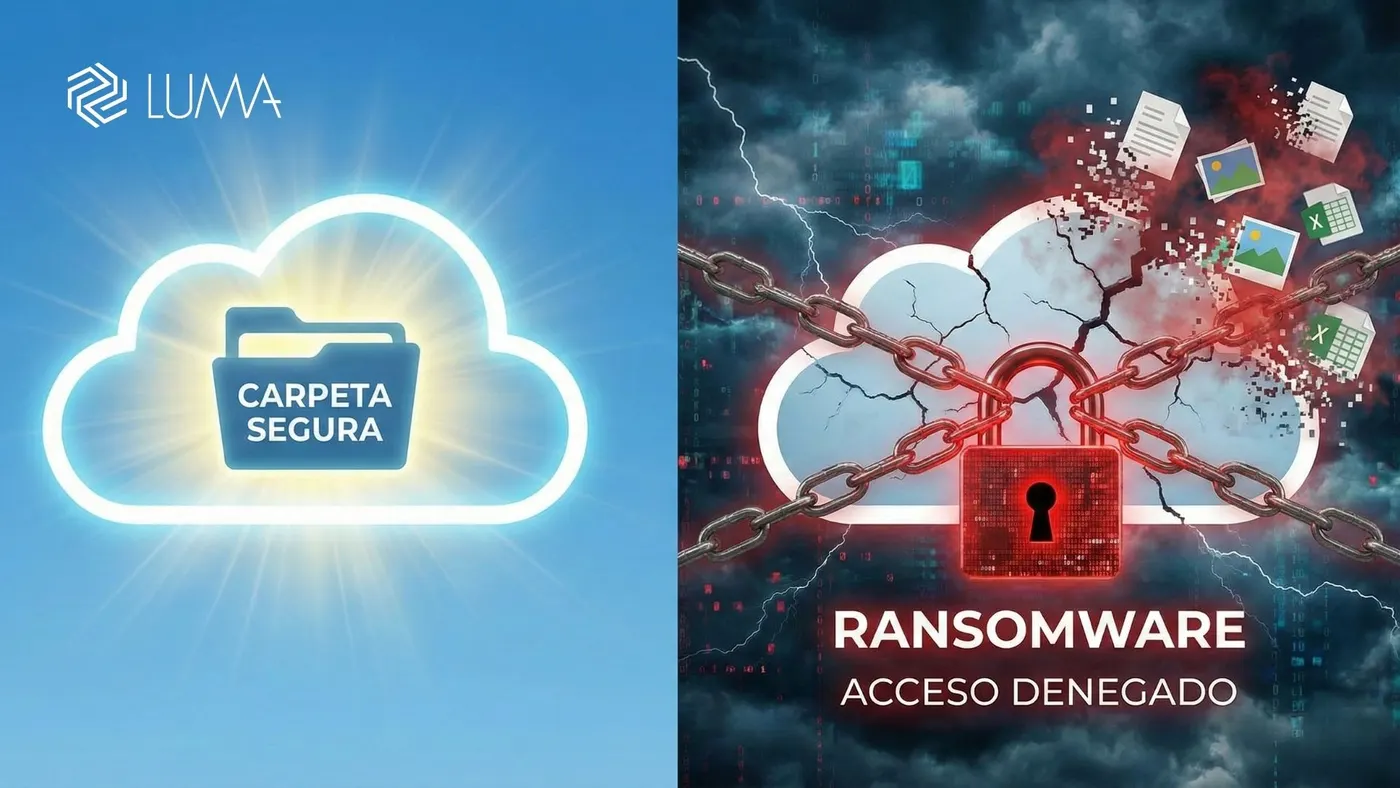
There is a silent but dangerous belief in the modern business world. A myth repeated in hallways and management meetings: “We do not need to invest in backups, we already moved everything to the cloud.”
This phrase is possibly the most underestimated security risk of the decade.
Millions of users and companies assume that services such as Google Drive, Microsoft OneDrive or Dropbox are synonymous with “backup”. The reality, however, is technically very different and much more alarming: these tools are synchronization and availability services, not recovery and security services.
Confusing these two concepts is the digital equivalent of believing that having a rear-view mirror (which reflects what happens instantly) is the same as having an insurance policy.
The synchronization mirage
To understand the risk, we need to dissect the technology. Google Drive and OneDrive are designed for productivity. Their main function is to make sure the file you edit on your laptop is updated immediately on your tablet and on the server.
This immediacy is their greatest virtue, but also their Achilles’ heel.
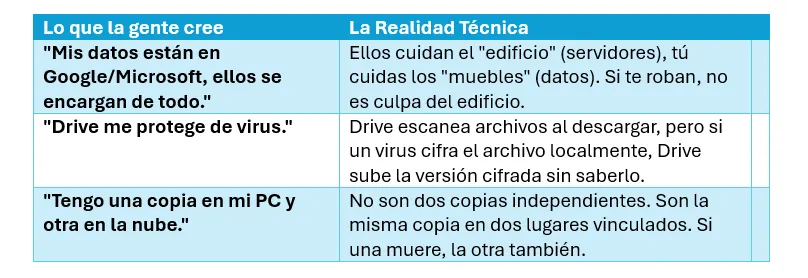
If an employee accidentally deletes a critical folder, the cloud syncs that mistake and deletes it on every connected device. If a file becomes corrupted, the corrupted version overwrites the good one.
As cybersecurity firm Kaspersky points out, automatic synchronization is a perfect attack vector: “If ransomware encrypts the files on the local computer, the cloud storage app will diligently sync those encrypted files to the cloud.” In a matter of seconds, your cloud “backup” becomes a collection of useless hijacked files.
The “recycle bin” myth
Many will argue: “But there is the recycle bin and version history.”
That is true, but relying on this as a business continuity strategy is reckless.
- Limited retention: Items in the trash of services such as Google Drive are permanently deleted automatically after 30 days.
- The human (and malicious) factor: An attacker who gains access to an administrator’s credentials (or a disgruntled employee) can empty the trash manually, making the deletion irreversible.
- Impossible restoration: Version history works well to recover one Excel file. But if a ransomware attack encrypts 50,000 of your company’s files, restoring them one by one to their “previous version” is humanly impossible without third-party tools.
The shared responsibility model: what you did not read in the contract
Perhaps the most critical point is legal. Both Microsoft and Google operate under the shared responsibility model.
Microsoft is explicit in its terms of service: it is responsible for the infrastructure (that the servers do not burn down, that there is power, that the platform is online). However, you are responsible for your data.
If you lose information through human error, a hack of your account, a virus or intentional deletion, the cloud provider has no obligation (and sometimes no ability) to recover it. A study in the Veeam Data Protection Trends Report revealed that, despite high cloud adoption, 85% of organizations suffered at least one ransomware attack in the last year, and recovering data hosted in SaaS (Software as a Service) remains a major challenge without external backups.
Myths vs. reality
The solution: a real (immutable) backup
For a backup to be real, it must meet principles that synchronization does not offer:
- Isolation: The copy must be disconnected from the main network or be “immutable” (it cannot be modified or deleted, not even by the administrator, for a period of time).
- 3-2-1 rule: Have 3 copies of the data, on 2 different media, with 1 of them off-site and disconnected (an independent cloud backup, not synced).
- Point-in-time recovery: The ability to “travel back in time” and restore the whole system to how it was on Tuesday at 3:00 PM, before the attack.
The cloud is a fantastic tool for collaboration, but a terrible sole line of defense. At Luma, we understand that real peace of mind does not come from seeing a green sync “check mark”, but from knowing that, whatever happens, there is an immutable copy of your company’s history ready to be restored.
Do not let the convenience of the cloud become your biggest vulnerability.
Sources and references (exact links)
Below is the list of sources used to write this article, verified to ensure the reliability of the information:
- Kaspersky (official cybersecurity blog): Why you should back up Google Drive. Explains how ransomware syncs to the cloud.
- Google Support (Google Drive Help): Delete and restore files in Google Drive. Confirms the 30-day automatic deletion policy.
- Microsoft Learn: Shared responsibility in the cloud. Official documentation in which Microsoft disclaims responsibility for managing data and endpoints.
- Veeam: 2023 Data Protection Trends Report. Study of ransomware statistics and recovery problems in hybrid and cloud environments.
.webp)
.webp)
.webp)